


 5 min read
Crypto Mining On Laptops: A How-To Guide For 2026



 AI Overview
Laptop mining in 2026 is limited to ASIC‑resistant coins and low‑power setups; it’s best treated as an educational or small-earnings activity. Profitability is modest and depends on careful thermal management, conservative software selection, and strong security practices.
- Best targets: ASIC-resistant coins (Monero, Verus, Ravencoin, Vertcoin) fit CPU or mid-range GPUs; avoid Bitcoin/Litecoin-class networks.
- Practical limits: Expect modest returns; prioritize learning or supplemental income rather than full profitability.
- Risk mitigation: Monitor temps, use cooling pads, limit core usage, run on AC, keep antivirus updated, and enable 2FA on accounts.
Cryptocurrency mining has become more accessible over the years, but mining with a laptop in 2026 comes with serious tradeoffs. While high-powered mining rigs dominate networks like Bitcoin, some proof-of-work (PoW ) coins still allow individuals to participate using basic hardware.
This guide breaks down the easiest ways to mine crypto on a laptop, which coins are viable, the best beginner-friendly mining software, and how to avoid hardware damage or security risks.
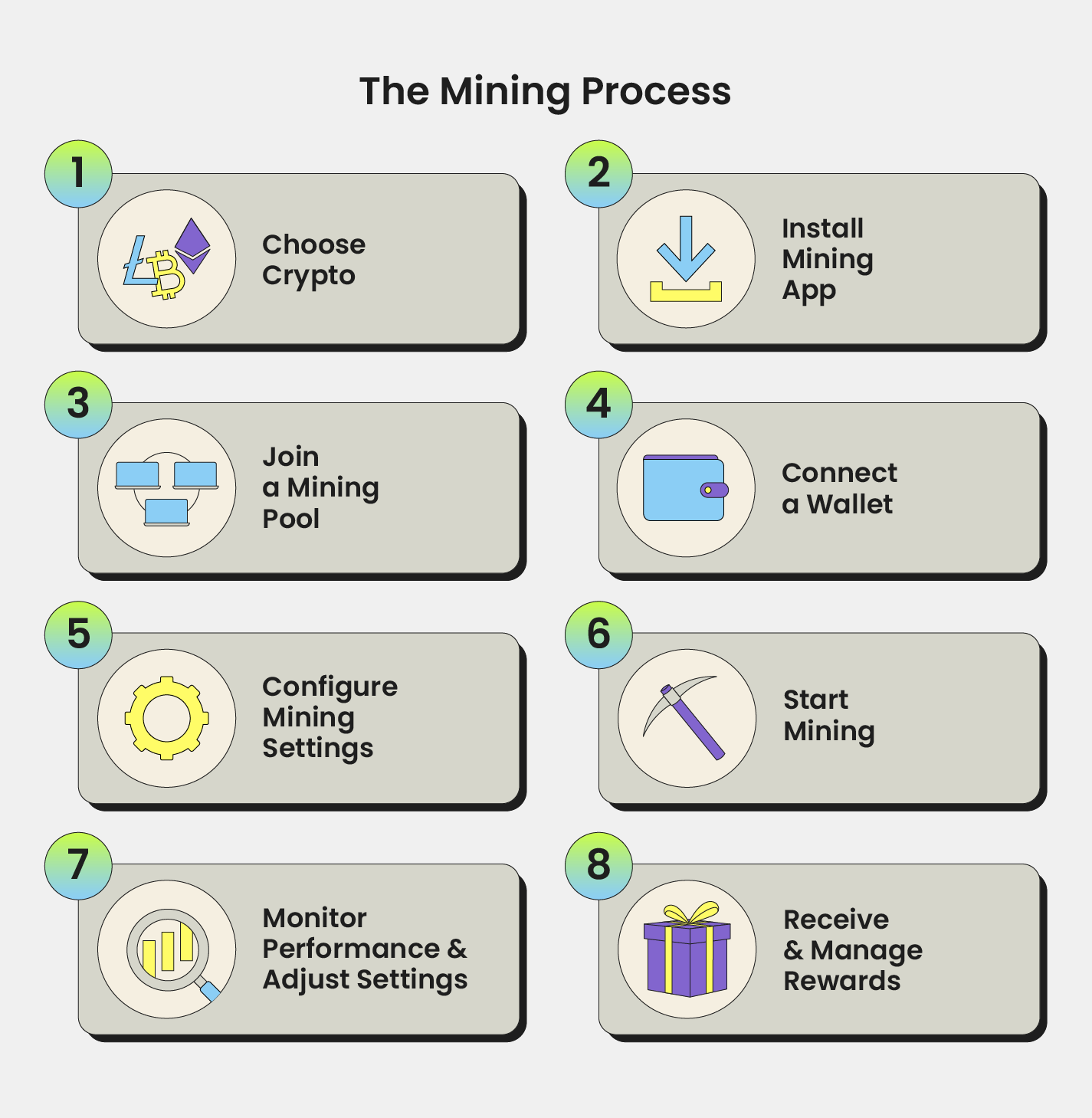
What makes laptop mining different?
Mining cryptocurrency involves solving complex mathematical problems to validate transactions and earn rewards. This requires significant computational power, which generates heat and draws electricity. Laptops aren’t built for long-term high-load performance, so using them for mining demands extra care.
Unlike desktops or ASIC machines, laptops have limited cooling, smaller power delivery systems, and lower thermal thresholds. That means your choices are limited to coins and tools that are optimized for low-to-moderate performance devices.
Best coins to mine on a laptop in 2026
Not all PoW cryptocurrencies are feasible for laptop mining. Bitcoin, Litecoin, Dogecoin, and Ethereum Classic have high network difficulty and require ASICs or high-end GPUs. Instead, look for ASIC-resistant coins with low competition.
Monero (XMR)
Monero uses the RandomX algorithm, which is specifically optimized for CPU mining. It’s one of the most popular coins for laptop miners. It’s private, ASIC-resistant, and still yields small but consistent returns using only your processor.
Verus Coin (VRSC)
Verus Coin is designed for CPU mining using the VerusHash algorithm. It’s lightweight and doesn’t require a powerful GPU, making it suitable for laptop mining, although profits are modest.
Ravencoin (RVN)
Ravencoin runs on the KAWPOW algorithm and is more GPU-friendly. If your laptop has a decent dedicated GPU (like NVIDIA GTX or RTX series), you can mine RVN with reasonable results.
Vertcoin (VTC)
Another ASIC-resistant coin using the Lyra2REv3 algorithm. Vertcoin is aimed at regular users and is accessible with mid-range laptop GPUs.
User-friendly mining software for beginners
Mining software varies in complexity. The following platforms are widely used in 2026 for their easy setup and automated optimization, making them suitable for casual laptop users.
NiceHash
NiceHash is a mining marketplace that automatically selects the most profitable coin and pays users in Bitcoin. It offers a polished GUI, one-click mining, and real-time stats.
BetterHash
BetterHash benchmarks your laptop and mines the most profitable coin automatically. It doesn’t require account registration and charges no fees, making it ideal for hands-off miners.
Kryptex
Kryptex runs in the background, auto-selects algorithms, and allows payouts in Bitcoin or fiat . It has a Lite Mode to reduce power usage and keep the laptop responsive.
Comparison of easy mining platforms
| Platform | Supported coins and algorithms | Ease of set-up and use | Performance and energy use | Fees and reputation |
| NiceHash | Multi-algo, pays in BTC (CPU + GPU) | One-click mining, clean GUI | Runs full load; high power and heat | ~2% mining fee, trusted, custodial |
| BetterHash | BTC, XMR, RVN, etc. (CPU/GPU) | No login required, schedule mining | Auto-switching, full load unless limited manually | No fees, good feedback, non-custodial |
| Kryptex | Auto-algo mining, BTC or fiat payout | Lite Mode, clean interface | Lite mode reduces heat; full mode = max usage | Competitive fees, strong security features |
Risks of mining on laptops
Mining on a laptop is convenient but comes with several risks.
Overheating and hardware damage
Mining at full capacity causes CPUs and GPUs to heat up quickly. Laptops, with limited airflow and cooling, can overheat. Prolonged high temperatures degrade components, damage batteries, and may even cause hardware failure.
Battery degradation
Never mine on battery power. It causes rapid charge-discharge cycles that wear down your battery. Always mine while plugged into a power source.
High electricity usage
Mining consumes a lot of power. Even though laptops use less than desktop rigs, the returns often don’t justify the energy cost.
Malware and cryptojacking
Illegitimate mining software or infected tools may contain cryptojacking malware. These silently use your system’s resources without your knowledge. Always download miners from official sites and enable antivirus protection.
Account and data security
If you use mining platforms that store your earnings (e.g., NiceHash), secure your account with two-factor authentication and strong passwords. Avoid using your mining laptop for sensitive tasks.
Best laptops for crypto mining in 2026
| Laptop model | Typical config | Thermal performance | Suitability for mining |
| MSI GE76 Raider | RTX 3080 + Intel i7/i9 | ≤112 °F hotspot | Excellent for sustained GPU mining |
| ASUS ROG Scar 17 G733 | Ryzen 9 5900HX + RTX 3080 | ~113 °F hotspot | Strong cooling and GPU power for mining |
| Razer Blade 15 Advanced | RTX 3060 or RTX 3080 + i7 | ~114 °F hotspot | Good hash rate with surprisingly effective cooling |
| Lenovo Legion 7 (2020–22) | i7 + RTX 2080 Super Max‑Q | ≤117 °F hotspot | Durable chassis and good airflow for GPU mining |
Best practices for safe mining
To reduce risks and extend your laptop’s lifespan, follow these tips:
- Use coins and miners optimized for CPUs or low-power GPUs.
- Monitor CPU and GPU temperatures using tools like HWMonitor or MSI Afterburner.
- Use a laptop cooling pad to lower heat.
- Configure software to use only part of the CPU or GPU (e.g., 50–75% of cores).
- Schedule breaks in mining to allow cooling.
- Keep the laptop on AC power and avoid battery use.
- Regularly scan for malware and avoid shady downloads.
- Use two-factor authentication for all mining accounts.
- Don’t leave your mining laptop unattended for long periods.
Final thoughts
Laptop mining should not be about big profits. Rather it should be a way for users to explore how PoW works, earn a small amount of crypto, or contribute to a network like Monero. With proper precautions and realistic expectations, you can safely participate in crypto mining using your laptop.
Stick to ASIC-resistant coins, use beginner-friendly platforms, and monitor your system health closely. If done responsibly, laptop mining can be a useful introduction to the crypto space without needing expensive hardware.
-
01.
Is it really possible to mine crypto with laptops?
Yes, but only for certain coins. Laptops can mine ASIC-resistant cryptocurrencies like Monero or Ravencoin using CPU or mid-range GPU power. However, performance is limited, and profits are usually small.
-
02.
Which coins are best for mining on my laptop?
The best coins for laptop mining in 2025 are:
-
Monero (XMR) – optimized for CPU mining.
-
Verus Coin (VRSC) – designed for CPUs.
-
Ravencoin (RVN) and Vertcoin (VTC) – suitable for laptops with dedicated GPUs.
-
-
03.
Will crypto mining damage my laptop?
It can if not managed carefully. Mining stresses your CPU/GPU, generates heat, and can overheat or degrade components over time. Always monitor temperatures, use cooling pads, and avoid 24/7 mining to reduce risk.



 Thank you for your feedback! We’re glad you found this article helpful.
 An error occurred while sending the form, please try again.
 We are sorry. You've already sent a message within the last 60 seconds. Please wait before sending another.
 Thank you for letting us know! Our team will review your feedback to help improve our content.
We're sorry you did not find what you were looking for. Please select the reason this article was not helpful.

 You’re in. Thanks for joining our newsletter.
