


To see how to buy Bitcoin with PayPal, all you have to do is follow instructions from the PayPal app. There are six steps to doing this:
- Step 1 – Sign up on PayPal or log in
- Step 2 – Choose Crypto in “Finances”
- Step 3 – Choose Bitcoin and click “Buy” to set an amount
- Step 4 – Choose payment method
- Step 5 – Make sure you’re getting a good deal
- Step 6 – Send your BTC to a wallet or keep it on PayPal
Alternatively, find an exchange that supports PayPal deposits.
Keep reading to see all the details below.
Key Takeaways
- Users can buy BTC with PayPal or on exchanges that support PayPal
- This PayPal feature is not yet available in all countries
- PayPal now allows BTC and crypto withdrawals
- PayPal gives a solid overview of past transactions for tax purposes
- The best way to store Bitcoin is still a cold personal wallet
How to Buy Bitcoin Directly on PayPal

PayPal allows you to directly buy, hold, and sell certain cryptocurrencies like Bitcoin through your account and mobile app.
This makes it convenient for PayPal’s millions of users to get exposure to Bitcoin and other cryptos safely.
To buy Bitcoin and crypto on PayPal in 2026, first, log in to your PayPal account.
Then, navigate to the cryptocurrency section, usually found in the “Wallet” tab.
Once there, select Bitcoin as the cryptocurrency you want to buy.
Enter the amount of BTC you wish to purchase or the equivalent value in your local currency.
Review the transaction details, including PayPal crypto fees and exchange rates, before confirming the purchase.
Click on the “Buy Now” button to finalize the transaction.
After the purchase is complete, your BTC will be stored in your PayPal crypto wallet.
1. Sign Up on PayPal or Log In
If you don’t have a PayPal account yet, go to paypal.com and click “Sign Up” to create a new account.
Typically, you’ll need to provide the following personal and financial information to verify your identity:
- Full legal name
- Date of birth
- Home address
- Phone number
- Email address
- Social Security number or tax ID (when applicable)
- Photo of a government-issued ID (when applicable)
- Bank account details (routing and account numbers) or debit/credit card information
If you already have a PayPal account, simply log in by entering your email address and password on the PayPal login page or via the app
Once logged in, you’ll be able to access PayPal’s cryptocurrency trading services.

2. Choose Crypto in “Finances”
Now, select the “Finances” tab and look for the “Cryptocurrencies” or “Buy Crypto” option.
However, keep in mind that PayPal’s cryptocurrency trading capabilities are not yet rolled out worldwide but PayPal’s crypto services now allow BTC purchases, sales, storage, and transfers in a growing number of countries. Check PayPal’s official list for your region as availability varies.
Since its launch, this feature is primarily available to users in the United States and US territories. If you’re located outside of the US, keep checking PayPal’s official page for a list of supported locations.

3. Choose Bitcoin and Click “Buy” to Set an Amount
Under the Cryptocurrencies section, you’ll see multiple digital assets supported by PayPal, including Bitcoin.
Select Bitcoin from the list, then click the “Buy” button.
This will bring up an interface where you can enter the USD amount you want to spend to purchase Bitcoin.
PayPal will show you the Bitcoin equivalent based on the current market exchange rate.

4. Choose Payment Method
After entering the amount of Bitcoin you want to buy, PayPal will prompt you to select a payment method.
You can choose to fund your Bitcoin purchase using the cash balance in your PayPal account or link a bank account or debit/credit card.
Review the payment method details and fees, then proceed with the transaction to buy Bitcoin through PayPal.

5. Make Sure You’re Getting a Good Deal
Before finalizing your Bitcoin purchase on PayPal, review the fees, rates, and overall pricing.
PayPal charges a spread and transaction fees on crypto purchases.
Compare PayPal’s rates and fees to those of popular exchanges to ensure you’re getting a fair deal.
Also, check if PayPal is applying the latest market exchange rate for Bitcoin at that time.

6. Send Your BTC to a Wallet or Keep it on PayPal
After your Bitcoin purchase is complete, you’ll have a choice of what to do with your newly acquired BTC.
PayPal allows you to either keep your Bitcoin stored in your PayPal Cryptocurrencies Hub, or you can send/withdraw it to an external crypto wallet for added security and self-custody.
Evaluate the pros and cons of such storage options, such as security priorities and intended usage, before deciding where to hold your Bitcoin.

Buy Crypto & BTC With PayPal on Exchanges
While PayPal offers direct Bitcoin purchases, you may prefer to buy BTC on the best crypto exchanges. This method provides more options and trading features.
We’ve compiled a list of the top Bitcoin exchanges that support PayPal deposits below:
Best Exchanges to buy Bitcoin with PayPal Listed
-
 Coins
Coins



 Deposit Methods
 Avg. Spread The difference between the buy (ask) and sell (bid) price for popular trading pairs. Lower spreads mean better pricing and less slippage for you.
 -
 Coins
Coins
 Deposit Methods

 Avg. Spread The difference between the buy (ask) and sell (bid) price for popular trading pairs. Lower spreads mean better pricing and less slippage for you.
 -
 Coins
Coins


 Deposit Methods
Avg. Spread The difference between the buy (ask) and sell (bid) price for popular trading pairs. Lower spreads mean better pricing and less slippage for you.
Deposit Methods
Avg. Spread The difference between the buy (ask) and sell (bid) price for popular trading pairs. Lower spreads mean better pricing and less slippage for you. -
 PromotionsCoins
 Deposit Methods
 Avg. Spread The difference between the buy (ask) and sell (bid) price for popular trading pairs. Lower spreads mean better pricing and less slippage for you.
 -
 Coins
Deposit Methods
Avg. Spread The difference between the buy (ask) and sell (bid) price for popular trading pairs. Lower spreads mean better pricing and less slippage for you.
Coins
Deposit Methods
Avg. Spread The difference between the buy (ask) and sell (bid) price for popular trading pairs. Lower spreads mean better pricing and less slippage for you.
Best Exchanges to buy Bitcoin with PayPal Reviewed

Get $10 in Bitcoin when you register through a referral link from an existing member.


Established in 2011, Kraken holds the distinction of being the only crypto company to secure an SPDI banking license. The exchange offers high liquidity and trading volume, as well as supporting hundreds of coins, all presented via a simple, easy to navigate website and mobile app. While excellent for beginners, Kraken also provides an array of advanced features for the more practiced trader, making this a great option regardless of your budget and level of experience.
- Supports hundreds of coins
- High liquidity
- Simple and user-friendly interface
- Good customer support options
- Lots of advanced trading features like margin, futures, and indices trading
- No insurance fund for assets on the platform
- Doesn’t offer a crypto credit card
- No personal wallet service for traders
- Supports only a few fiat currencies
Year Founded
- 2011
Headquarters
- United States
Licenses
- United States (IRS)
- Canada (CRA)
- United Kingdom (HMRC)
-
+7
Cryptocurrencies
- Bitcoin
- Ethereum
- Tether
-
+83
Available countries
- Afghanistan
- Albania
- Algeria
-
+240
Languages
- Chinese (Mandarin)
- English
- French
-
+10
Features
- Cryptowatch
- Forks
-
+29
Receive up to $100,000 worth of exclusive gifts for newcomers upon registration.
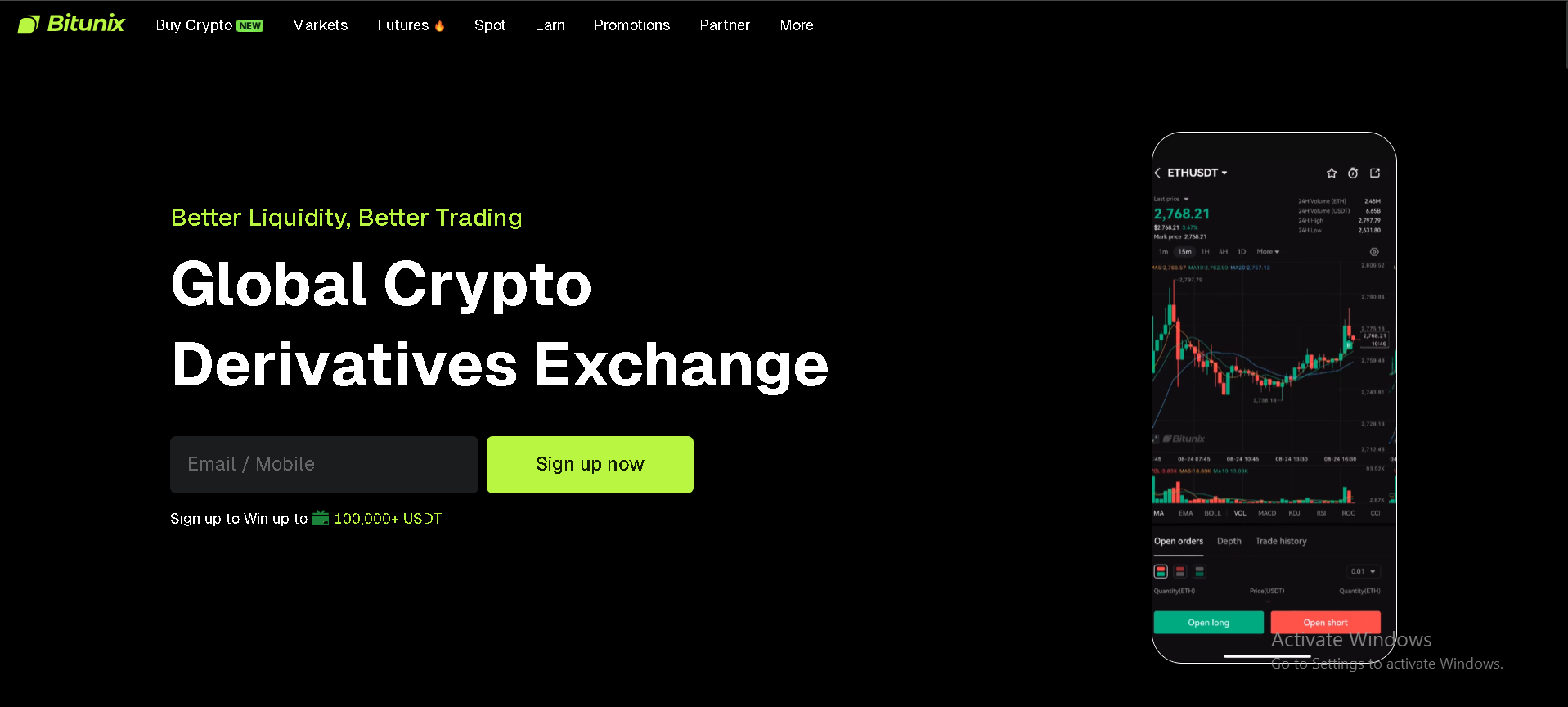

Bitunix is a popular cryptocurrency exchange, especially for derivatives and leverage trading, but it also supports spot markets. Bitunix appeals to both beginners and advanced traders with a clean, user-friendly interface and a reliable mobile app.
The platform offers competitive fees, high-leverage options, and advanced tools like perpetual swaps, futures contracts, and built-in risk management features. Bitunix has a strong focus on security, with multi-layer protection and cold wallet storage. The exchange regularly adds new features , and is a flexible exchange for traders who want leverage and versatility.
Licenses
- United States (IRS)
- Canada (CRA)
- Phillipines
Cryptocurrencies
- Bitcoin
- Ethereum
- Tether
-
+78
Available countries
- Albania
- Algeria
- American Samoa
-
+233
Languages
- English
- Uzbek
- Polish
-
+12
Enjoy US$50 worth of CRO as sign-up bonus when you sign up with a referral link.


- Extensive list of supported cryptocurrencies
- Hardware wallet support
- With its Visa cards, you can spend your crypto and earn rewards
- Easy to purchase NFTs on the platform using either fiat or certain cryptos
- Higher fees for those who don't hold and use CRO
- Poor customer service
- Lack of educational resources
- Slow in-app live support
Year Founded
- 2016
Headquarters
- Singapore
Licenses
- United Arab Emirates
- Brazil
- United Kingdom (HMRC)
-
+19
Cryptocurrencies
- Bitcoin
- Holo
- Litecoin
-
+157
Available countries
- Afghanistan
- Algeria
- American Samoa
-
+200
Languages
- Danish
- Spanish
- French
-
+13
Features
- Supercharger
- Trading Arena
-
+2


- An advanced trading platform
- Low fees and high liquidity
- Supports lots of different payment options
- Efficient and dedicated phone and email support
- Lots of charting tools
- No live chat customer support
- Slow verification process
- International wire transfer takes 2 to 5 days to clear
- A few number of coins on offer
- Was hacked in 2015
Year Founded
- 2011
Headquarters
- Virgin Islands, British
Licenses
- Luxembourg
- United States (IRS)
- Spain
-
+1
Cryptocurrencies
- Bitcoin
- Ethereum
- Tether
-
+52
Available countries
- Afghanistan
- Albania
- Algeria
-
+244
Languages
- English
Features
- Institutions
- Pro Traders
-
+4
Enjoy up to 30,000 USDT Bonus when you sign up and complete tasks. Get a 10 USDT coupon when you sign up, and link your phone number and email.


Year Founded
- 2018
Headquarters
- Singapore
Licenses
- United States (IRS)
- Canada (CRA)
Cryptocurrencies
- Bitcoin
- Ethereum
- Tether
-
+96
Available countries
- Philippines
- United Kingdom
- United States
Languages
- English
- Simplified Chinese
- Chinese (Traditional)
-
+15
Features
- Futures Demo
- Copy Trading
-
+18
Disclaimer: The information provided on this website is for informational purposes only and should not be considered as financial, investment, or legal advice. Cryptocurrency investments are volatile and high-risk in nature. Consult with a qualified financial advisor and/or tax professional before making any investment decisions. We are not responsible for any loss incurred due to the use of information on this website. Do your own research and exercise caution. Don’t invest unless you’re prepared to lose all the money you invest.
Buying Bitcoin With PayPal on Exchanges – Guide
Some of the best crypto exchanges provide advanced trading capabilities, higher liquidity, and support for a wider range of cryptocurrencies beyond just Bitcoin.
Here’s a six-step guide on buying Bitcoin with PayPal on exchanges:
1. Find a Preferred Exchange
Research and select a reputable and safe cryptocurrency exchange that accepts PayPal as a payment method for buying Bitcoin and other cryptos.
Read our reviews of the selected exchanges – KuCoin, Uphold, Kraken, Binance, and Coinbase, to see different features and investing tools.
Make sure to check user reviews on Reddit and Trustpilot.
Note the trading volumes, security protocols, and regulatory compliance when evaluating potential exchanges.
Prioritize well-established platforms with a solid track record in the crypto industry.
If you’re not a fan of identity verification, check out the best decentralized exchanges for more freedom and anonymity.
2. Open an Account and Verify ID
Now, go through the exchange’s account opening process by providing your personal details and uploading the required identity verification documents like a photo ID.
You may also need to provide proof of address with a utility bill or a bank statement.
Regulated exchanges must confirm users’ identities to comply with financial regulations.
This is known as a Know Your Customer (KYC) process. It’s a part of the Anti-Money Laundering (AML) regulations and makes a centralized exchange compliant.
This process often lasts several minutes and is automatic. You’ll scan a QR code with your phone and follow the instructions on the screen.
Some exchanges manage this manually, and you might wait a few days for verification.
The good news is that a verified ID gives you access to all features and tools and lifts all limitations for withdrawing and depositing.
Still, it means you can’t buy Bitcoin with PayPal anonymously on the exchange.
3. Deposit Funds With PayPal
After account activation, link your PayPal account or enable it as a payment option on the exchange.
Then initiate a deposit transaction, specifying the amount of fiat currency you want to add from PayPal.
4. Locate the Instant Buy/Trading Section
Most crypto exchanges have a simple “Buy” or “Instant Buy” section where you can quickly buy crypto after funding your account balance.
The instant buy option usually works in minutes and you’ll receive Bitcoin quickly. Still, with this feature, you can’t select a price and set an order.
If you’re an advanced trader, you may prefer the exchange’s trading view interface.
There, you’ll see various order options where you can set a price and wait for the order to fulfill.
5. Check Details and Confirm Purchase
Review all the key order details like Bitcoin amount, purchase rates, payment method, fees, and total cost.
Ensure everything looks accurate, then confirm and place your PayPal-funded buy order for Bitcoin.
Note that crypto transfers are usually fast, but if there’s network congestion, your BTC might arrive in about 20 to 30 minutes.
How to Store BTC You Bought With PayPal
After purchasing Bitcoin through PayPal, you can explore various storage options.
When you buy Bitcoin through PayPal or receive BTC payments to your PayPal account, your Bitcoin holdings will automatically be reflected in the built-in Cryptocurrencies Hub.
The Hub serves as a hosted crypto wallet under PayPal’s custody, meaning the platform stores and secures your private keys.
If you’re new to the crypto market, know that this type of storage means you don’t have control over your holdings.
PayPal might, for any reason, prohibit you from accessing your Bitcoin and withdrawing it.
Holding funds on PayPal also means you’ll have limited access to the usual trading tools.
This is why you may want to learn how to send Bitcoin from PayPal to another private wallet.
However, if you want to withdraw your BTC to your own private wallet, you’ll need to complete additional verification steps, such as:
- Providing a government-issued photo ID like a driver’s license or passport to confirm your identity
- Submitting proof of address documents like a utility bill or bank statement, if not already done during the registration process
- Answering personal security questions about your PayPal account history
- Confirming your source of cryptocurrency funds
- Agreeing to PayPal’s crypto terms of service and user policies
- Setting up two-factor authentication (2FA) and advanced security checks on your account
The specific requirements can vary based on factors like your account tenure, transaction volumes, and prevailing regulations in your geographic region when requesting a Bitcoin withdrawal from PayPal.
Once you do this, you can withdraw BTC from PayPal in four steps:
- Have a secure Bitcoin wallet ready with its address to receive the transfer
- In your PayPal account, go to the Crypto section and select “Withdraw” or “Send” next to your BTC balance
- Enter the destination wallet address you want to withdraw to
- Review withdrawal details like network fees, then confirm to initiate the BTC transfer
Your Bitcoin should arrive in the designated external wallet within 30-60 minutes once processed by PayPal and the blockchain network.
Pros and Cons of Storing BTC on PayPal
Pros:
-
Convenient option—no need to manage self-custody or secure private keys yourself.
-
Easy to monitor your Bitcoin balance and transaction history directly in your PayPal account.
-
Ability to quickly sell your BTC back to fiat when needed.
-
Option to withdraw Bitcoin to an external wallet at any time.
Cons:
-
You don’t have full control over your Bitcoin compared to storing it in a private wallet you own.
-
If you prefer controlling your private keys, you’ll need to withdraw BTC to your own wallet.
-
Using a private wallet means you are fully responsible for securing your keys and backing up your wallet regularly.
Why Withdraw to a Private Wallet?
Besides having complete control and ownership, you may want to withdraw Bitcoin purchased on PayPal to your own cryptocurrency wallet for several reasons:
- Access to blockchain features, like lending or borrowing while using Bitcoin as a collateral
- Enhanced security
- More crypto swapping options
- Lower transactions fees
Keep in mind that personal wallets can be hot and cold.
Hot wallets are those connected to the internet. Due to their online connection, these wallets are susceptible to cyber attacks and might not be the best storage option. Investors use them if they need to often deal with trades.
Cold wallets are physical hardware. These connect online only when you’re about to make a transaction. Ledger is the best example and one of the top cold wallets out there.
Pros and Cons of Storing BTC on an Exchange

It’s worth noting that major exchanges typically provide insurance protection in case of fund loss.
However, this coverage is often complex and depends on multiple factors.
You may not be eligible for it in case of some incidents that are deemed to be directly your fault. For example, clicking on a phishing link.
How to Transfer Bitcoin on PayPal
In addition to buying Bitcoin, PayPal allows you to send Bitcoin on PayPal and to external wallets.
To send Bitcoin from PayPal, follow the next steps:
- Go to the Finance tab
- Click your crypto balance and choose “Transfer”
- Click Send
- Sync your contacts if you’re sending to another PayPal account
- Manually paste an address if you’re sending outside of PayPal or scan a QR code
- Choose the amount you want to send and click “Send Now”
How to Receive Bitcoin on PayPal
PayPal makes it easy to receive Bitcoin payments from others directly into your account. Follow the simple five-step instructions outlined below to receive Bitcoin on PayPal:
- Go to the Finance tab
- Click your crypto balance and choose “Transfer”
- Click Receive
- Choose BTC
- Copy your wallet address or share its QR code
Pros & Cons of Buying Bitcoin on PayPal

Best Practices When Buying Bitcoin on PayPal

Besides having a basic understanding of the PayPal Bitcoin wallet, pricing, and BTC transfers, you should also be aware of the following aspects:
- Security – make sure your PayPal account is secured with a strong password and two-factor authentication (2FA) on your device
- The right website – buy Bitcoin on the legitimate PayPal website (paypal.com) or use the official PayPal mobile app to avoid scams
- Location limits – make sure to check PayPal’s crypto availability in your area. The list of supported countries will likely expand in years to come
- Tax implications – understand the tax treatment and reporting requirements for crypto purchases in your area. Check with your local taxation body to be sure how to report taxes
PayPal has weekly limits on how much crypto you can buy.
Additionally, it supports only major cryptos such as Bitcoin, Ethereum (ETH), Litecoin (LTC), Bitcoin Cash (BCH), Chainlink (LINK), PayPal USD (PYUSD) and Solana (SOL) . If you wish to buy other altcoins such as Ripple (XRP) or Shiba Inu (SHIB), you’ll have to use a cryptocurrency exchange.
Its weekly purchase limit is $100,000 worth of cryptocurrencies.
You can also set recurring purchases and buy Bitcoin automatically daily, weekly, biweekly, or monthly.
Tax Record Keeping From the Get-Go
When buying Bitcoin with PayPal, it’s essential to keep accurate records for tax purposes. Here are some key tips for maintaining proper tax documentation:
-
Save detailed records of all your crypto transactions on PayPal, including purchase amounts, dates, fees, and other relevant information. PayPal provides a downloadable transaction history.
-
Note the USD value of your BTC at the time of each purchase to calculate potential capital gains or losses later.
-
If you transfer BTC from PayPal to an external wallet, record the amount transferred, the fair market value on the transfer date, and the transaction ID.
-
Download annual tax reports from PayPal that summarize your crypto activity.
-
Use crypto tax software or consult an accountant to correctly calculate taxes owed on capital gains when selling.
-
Keep your records organized for at least seven years in case of any audits.
-
Track your cryptocurrency cost basis, sales proceeds, and transaction details from the beginning to simplify future tax filings. Proper record-keeping is crucial for staying compliant.
Why Trust Us?
At CryptoManiaks, helping you make sense of crypto is our goal. Our shared interest in the crypto space enables us to test the waters before you, create trustworthy guides, and show you how to buy Bitcoin with PayPal.
Our mission is to help you navigate the crypto world with confidence. We conduct thorough, independent research to verify every detail we publish, ensuring you always receive accurate and reliable information.
We have personally invested time and effort into the process of buying Bitcoin with PayPal to show you firsthand insights and steps to take today.
 DON’T GET REKT
Curated drops, testnets and red flag alerts straight to your inbox ✌️
 You’re in. Thanks for joining our newsletter.

Conclusion
Buying Bitcoin with PayPal in 2026 is one of the simplest ways to enter the crypto market, especially if you already use PayPal for everyday transactions. This guide has explained the full process, including how to buy directly through PayPal and how to use exchanges that accept PayPal payments.
Although the method is fast and beginner friendly, it is important to consider potential drawbacks such as higher fees, regional restrictions, and limited control if you keep your Bitcoin inside PayPal’s custodial wallet.
If you plan to hold Bitcoin for the long term or want more flexibility, moving your BTC to a secure self-custody wallet is a smart choice. With careful attention to fees, security, and proper record keeping, PayPal can be a reliable and convenient starting point for your Bitcoin journey.
Frequently Asked Questions
-
01.
How Do I Link My PayPal Account to a Bitcoin Buying Platform?
To link your PayPal account to a Bitcoin buying platform, you’ll need to follow a few simple steps. First, ensure that the Bitcoin buying platform you choose supports PayPal as a payment method. Log in to your PayPal account and navigate to the settings or profile section. Look for an option related to “Linking External Accounts” or “Payment Methods.” Click on this option and select “Add New Account.” Enter the necessary details of the Bitcoin buying platform, such as its name and website URL.
-
02.
Is There a Minimum or Maximum Limit for Buying Bitcoin With PayPal?
Yes. The minimum limit ensures that users can make small purchases without any issues, while the maximum limit prevents excessive purchases that may raise security concerns. These limits are usually determined by the platform or exchange you are using to buy Bitcoin.
-
03.
How Long Does It Take to Complete a Bitcoin Purchase Using PayPal?
When purchasing Bitcoin using PayPal, the transaction typically takes around 10-15 minutes to complete. This duration may vary depending on several factors such as network congestion, transaction volume, and the efficiency of the exchange platform. It is always recommended to check the specific terms and conditions of the exchange platform you are using for a more accurate estimate of the transaction time.
-
04.
How Secure Is Buying Bitcoin With PayPal?
Buying Bitcoin with PayPal is a highly secure method due to the advanced encryption protocols and multi-factor authentication implemented by both PayPal and Bitcoin platforms. When making a purchase, PayPal ensures that all transactions are encrypted to protect user information and financial data. Additionally, PayPal offers buyer protection, which provides an extra layer of security in case of any fraudulent activity.
-
05.
Are There Any Risks Involved in Buying Bitcoin With PayPal?
PayPal’s buyer protection policy may not cover digital currencies like Bitcoin, so in case of any disputes or issues, it might be challenging to seek a resolution. It is advisable to thoroughly research and understand the terms and conditions of both PayPal and the platform you are using for Bitcoin transactions before proceeding.


